

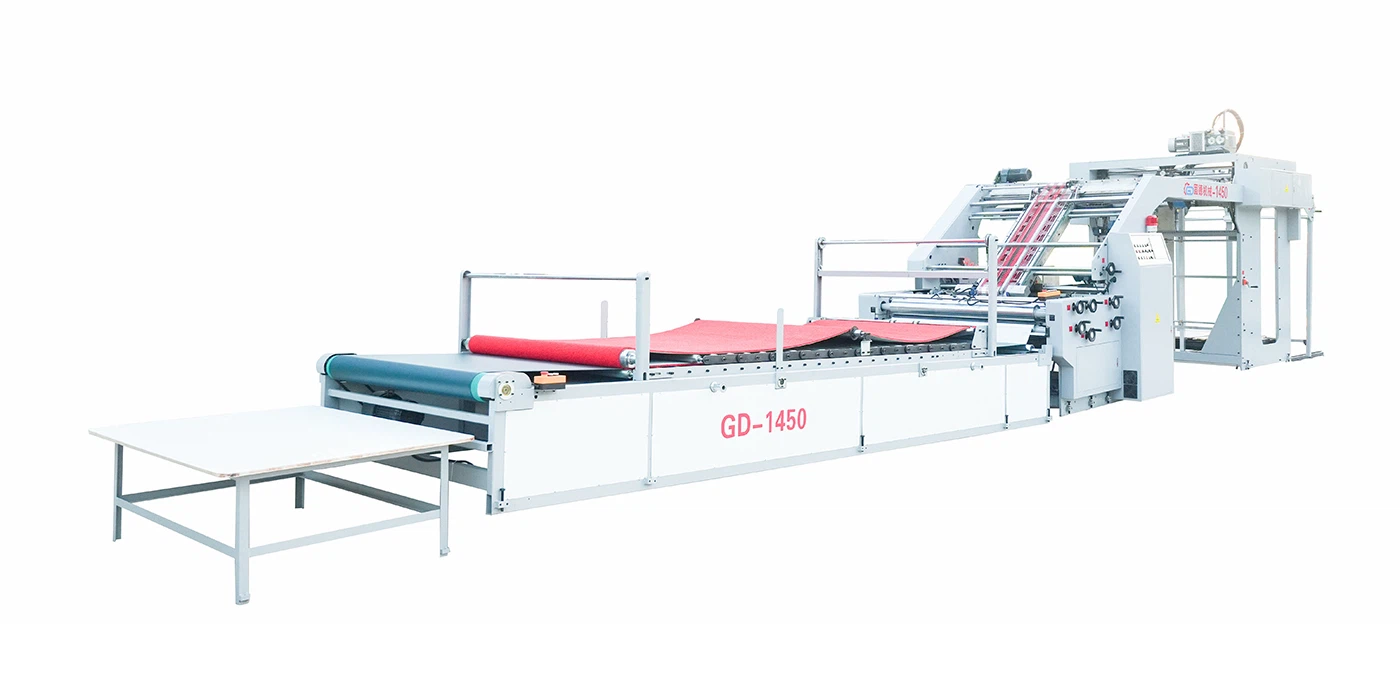
When you're in the packaging industry, an Automatic Flute Laminator is a workhorse that plays a crucial role in the production process. However, like any complex machinery, it can encounter issues and suddenly stop working. As a supplier of Automatic Flute Laminators, I understand the frustration this can cause and the urgency to get it up and running again. In this blog, I'll share some common troubleshooting steps to help you diagnose and resolve problems when your Automatic Flute Laminator stops working.
1. Initial Checks
Power Supply
The first and most basic step is to check the power supply. Ensure that the machine is properly plugged into a functioning power outlet. Sometimes, a loose connection or a tripped circuit breaker can be the culprit. Check the power cord for any visible damage, such as cuts or frayed wires. If the machine has a power switch, make sure it is turned on.
Emergency Stop Button
Many Automatic Flute Laminators are equipped with an emergency stop button for safety reasons. Check if the emergency stop button has been pressed. If it has, simply release it to see if the machine starts working again. This is a simple fix that can often be overlooked.

Control Panel Indicators
Examine the control panel of the Automatic Flute Laminator for any error indicators or warning lights. These indicators can provide valuable clues about the nature of the problem. Refer to the machine's user manual to understand what each indicator means. Some common error codes may indicate issues with the motor, sensors, or other components.
2. Mechanical Issues
Belt and Chain Inspection
The belts and chains in the Automatic Flute Laminator are responsible for transferring power and movement to various parts of the machine. Over time, these belts and chains can become loose, worn, or damaged. Check the tension of the belts and chains and adjust them if necessary. Look for any signs of wear, such as cracks or fraying. If a belt or chain is severely damaged, it may need to be replaced.
Roller Alignment
Proper roller alignment is essential for the smooth operation of the Automatic Flute Laminator. Misaligned rollers can cause uneven pressure, resulting in poor lamination quality or even jams. Check the alignment of the rollers and make any necessary adjustments. Use a straightedge or a laser alignment tool to ensure that the rollers are parallel and properly spaced.
Bearing Lubrication
The bearings in the Automatic Flute Laminator require regular lubrication to reduce friction and prevent wear. Check the lubrication levels of the bearings and add lubricant if needed. Use the type of lubricant recommended by the machine's manufacturer. Over-lubrication can also cause problems, so be careful not to use too much.
3. Electrical Issues
Motor Problems
The motor is the heart of the Automatic Flute Laminator, and any issues with it can cause the machine to stop working. Check the motor for any signs of overheating, such as a burning smell or excessive noise. If the motor is overheating, it may be due to a lack of ventilation or a faulty cooling system. Check the motor's wiring connections to ensure they are secure. If the motor still does not work, it may need to be repaired or replaced.
Sensor Malfunctions
The Automatic Flute Laminator uses various sensors to detect the position, speed, and other parameters of the materials being processed. A malfunctioning sensor can cause the machine to stop working or operate incorrectly. Check the sensors for any visible damage or loose connections. Clean the sensors to remove any dirt or debris that may be affecting their performance. If a sensor is still not working properly, it may need to be replaced.
Electrical Wiring
Inspect the electrical wiring in the Automatic Flute Laminator for any signs of damage, such as cuts, burns, or loose connections. Loose or damaged wiring can cause electrical shorts or intermittent problems. Use a multimeter to test the continuity of the wiring and check for any voltage drops. If you find any damaged wiring, repair or replace it as soon as possible.
4. Material-Related Issues
Paper Jams
Paper jams are a common problem in Automatic Flute Laminators. If the machine stops working and you suspect a paper jam, carefully remove the jammed paper. Follow the instructions in the user manual to access the paper path and remove the jammed paper without causing further damage to the machine. Make sure to clear all the paper fragments to prevent future jams.
Material Quality
The quality of the materials being used in the Automatic Flute Laminator can also affect its performance. Poor-quality materials, such as paper with a high moisture content or uneven thickness, can cause jams, misfeeds, or poor lamination quality. Make sure to use materials that meet the specifications of the machine. Check the materials for any defects or damage before loading them into the machine.
Material Loading
Incorrect material loading can also cause problems in the Automatic Flute Laminator. Make sure to load the materials correctly according to the machine's instructions. Ensure that the materials are properly aligned and not overloaded. Overloading the machine can cause excessive stress on the components and lead to breakdowns.
5. Software and Programming Issues
Firmware Updates
Some Automatic Flute Laminators are equipped with software that controls their operation. Outdated firmware can cause compatibility issues or performance problems. Check the manufacturer's website for any available firmware updates for your machine. Follow the instructions provided to install the updates. Firmware updates can often fix bugs and improve the performance of the machine.
Programming Errors
If the machine is not operating as expected, there may be a programming error. Check the programming settings on the control panel to ensure that they are correct. Refer to the user manual for guidance on how to set up and adjust the programming. If you are unsure how to correct a programming error, contact the manufacturer's technical support team for assistance.
Conclusion
Troubleshooting an Automatic Flute Laminator when it stops working can be a challenging task, but by following these steps, you can often identify and resolve the problem. Remember to always refer to the machine's user manual for specific instructions and safety precautions. If you are unable to diagnose or fix the problem on your own, don't hesitate to contact our technical support team. We are a leading supplier of Servo Automatic Flute Laminating Machine, Intelligent Automatic Flute Laminator, and 5 Ply Flute Laminator, and we have a team of experienced technicians who can provide you with the support you need.
If you are in the market for a new Automatic Flute Laminator or need to upgrade your existing machine, we invite you to contact us for a consultation. Our team can help you choose the right machine for your specific needs and provide you with a competitive quote. We are committed to providing high-quality products and excellent customer service, and we look forward to working with you.
References
- Manufacturer's user manual for the Automatic Flute Laminator
- Industry standards and best practices for troubleshooting packaging machinery